The SE suite, one process. Skim what each is for, how members stack them, and jump to related
backtest examples. Charts are illustrative — open the live scripts on TradingView.
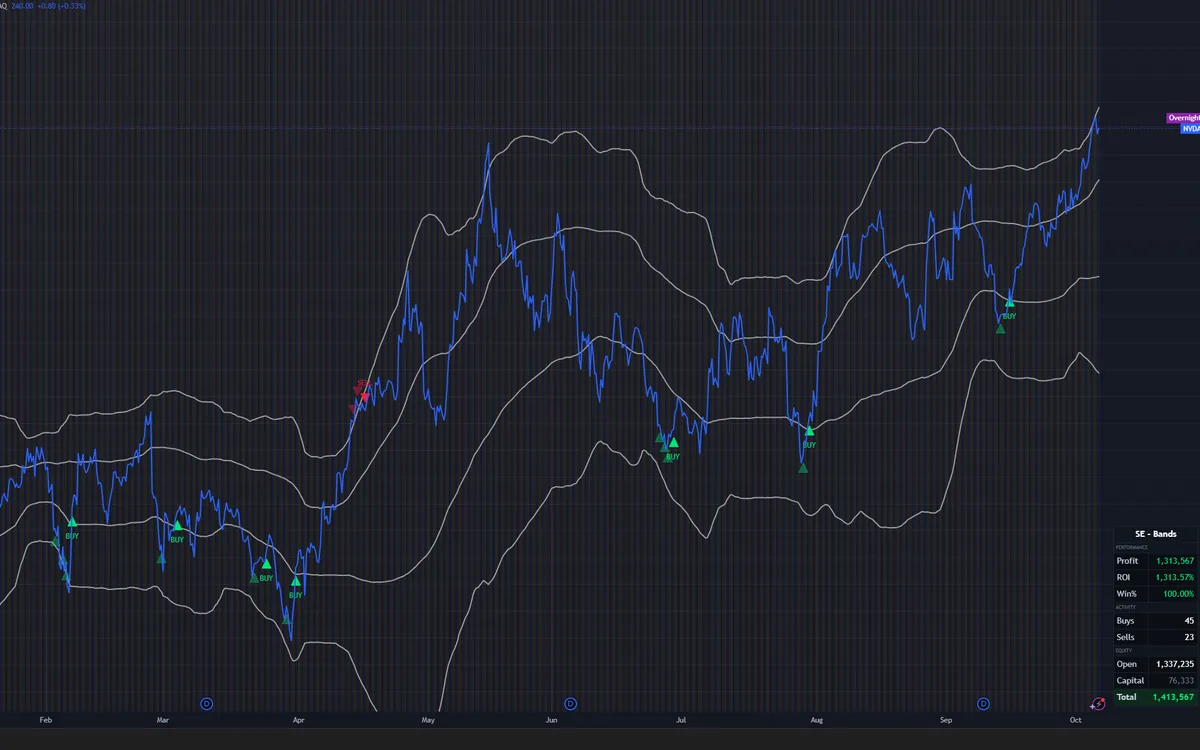
Use it for: mapping value zones around the mean — areas to add or scale into
on pullbacks, and extended areas to consider trimming. Band Bias shows whether
the bands’ overall read is bullish or bearish. Buy/sell dots and alerts flag
the setups to watch or act on.
How members use it
Read Band Bias first — whether the overall read is bullish or bearish — and keep the Bias input in line with SE Trend (or your own context).
Treat faded marks as “watch” — unconfirmed band touches; act on confirmed signals after momentum crosses.
Tighten with sensitivity — higher sensitivity = fewer, higher-conviction prints.
Stack filters sparingly — trend confirm and structure windows are optional gates, not defaults for every chart.
Useful inputs
Band Bias bullish / bearish readoutBias Neutral / Bullish / BearishSignal sensitivity adjustableOptional trend filter Off or on
Example chart for illustration. Past visuals are not a promise of future results.
Overlay · Direction
SE Trend Model
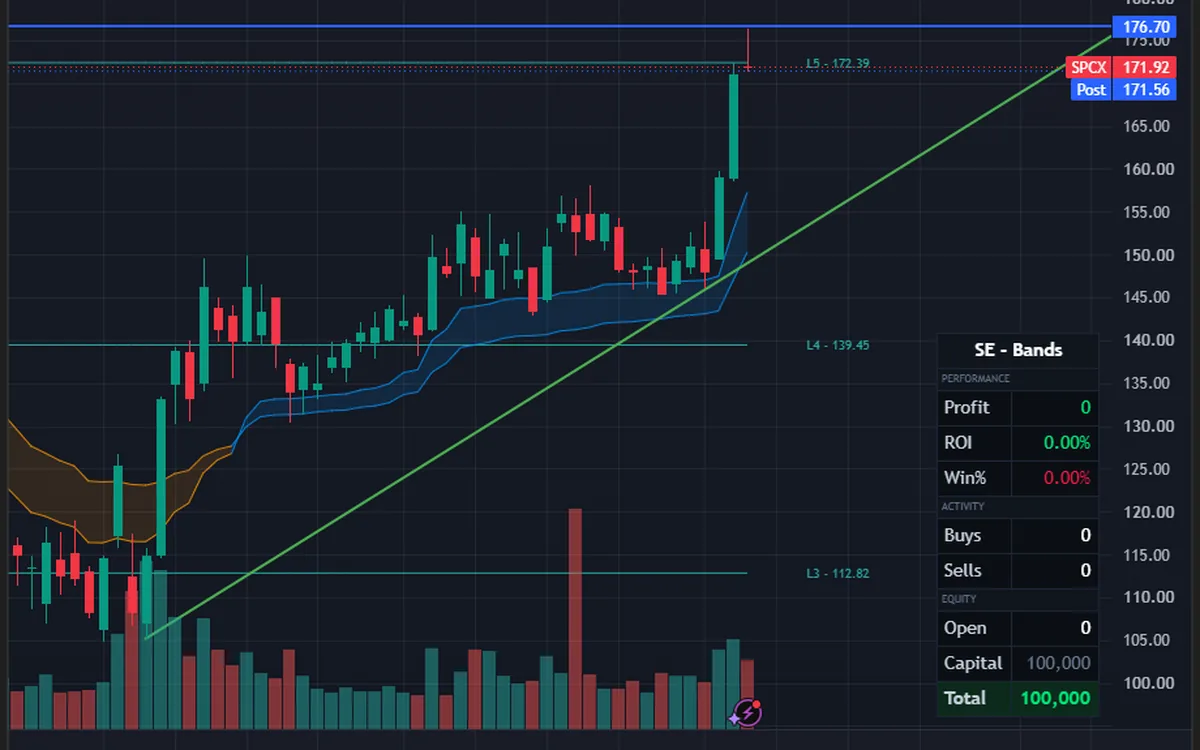
Use it for: direction — the trend regime on the chart, so you know which way
to trade. Stay with the trend, use it to confirm Bands setups, and avoid
fighting the tape. Trend is context; entries still wait on your Bands setup
and rules.
How members use it
Frame bias before hunting reversals — Neutral / Bullish / Bearish for the Bands bias input.
Prefer slope filter on when learning — fewer flips, clearer process.
Use SE Calibrated on major names; switch to the adaptive trend engine on obscure tickers.
Don’t chase every flip — Trend is context. Entries still wait on a higher-conviction Bands signal plus Stretch.
Useful inputs
Engine SE Calibrated · adaptive trend engineSlope filter On / OffManual EMA optional override
Illustrative chart crop. Dedicated Trend exports can replace this later. Past visuals are not a promise of future results.
Oscillator · Extension
SE Stretch Model
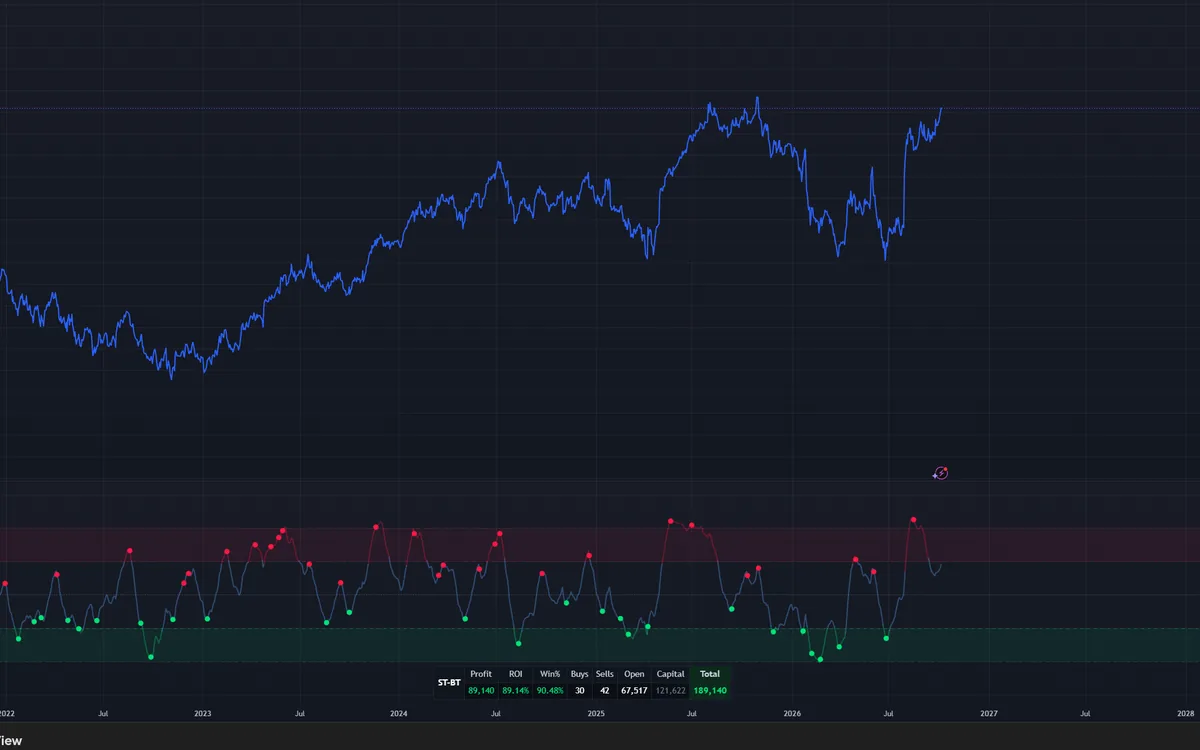
Use it for: timing — seeing when price is stretched too far from its mean
(exhaustion). That context helps you time entries and exits, and avoid chasing
a move that has already run. Dots mark local peaks and troughs; they are not
standalone entries.
How members use it
Read extension before acting on a Bands signal — stretched moves recover differently than calm ones.
Start Neutral; move Aggressive only if you accept more dots and more noise.
Raise noise suppression to quiet small swings on choppy symbols.
Don’t treat dots as standalone entries — they are context for the Bias → setup → confirm workflow.
Useful inputs
Style Very Aggressive → Very ConservativeNoise filter adjustableSqueeze columns optional
Illustrative chart crop. Dedicated Stretch exports can replace this later. Past visuals are not a promise of future results.
Cycle timing
Staunch DCL
Use it for: cycle timing. Staunch DCL (SE — Daily Cycle Lows) highlights when
a name is in its daily cycle-low window. Use that window as context alongside
Bands, Trend, and Stretch — not as a standalone entry signal. The Signal Screener
shows each watchlist name’s DCL state on the daily timeframe.
How members use it
Read the window, not a call — “in window” is context, not a buy on its own.
Pair it with the suite — still wait for a higher-conviction Bands setup and your own rules.
Check the screener daily — states can differ slightly from the live TradingView script.
Cycle-window status for each watchlist name lives on the SE Signal Screener.
DCL is not mixed into the backtest summary library, which uses a different engine.
Educational cycle context only. Not financial advice. Not a guarantee.
Alert message templates
Each script ships with alertcondition messages that include
{{ticker}}, {{interval}}, and {{close}}.
Create the alert from the indicator’s Alerts tab on TradingView — don’t rewrite placeholders by hand.
SE Bands · confirmed
{{ticker}} {{interval}} SE Bands CONFIRMED BUY at {{close}}
SE Trend · flip
{{ticker}} {{interval}} SE Trend BUY at {{close}}
SE Stretch · dot
{{ticker}} {{interval}} SE Stretch BUY at {{close}}
Matching SELL variants exist for each model. Alerts fire on the conditions you enable — review TradingView’s alert docs if a message looks empty.